Help Centre / Orders and SKU analysis
Why your Amazon fees in SellerFuse might look different
Find out where SellerFuse gets the fees on each order, what Actual and Deferred Estimate mean, and how to check a fee that looks wrong.
Why sellers use it
- The fees on your orders come from Amazon, not from a calculator.
- Know at a glance whether a fee is final or still Amazon's estimate.
- A simple check tells you whether a fee really is wrong.
If you compare SellerFuse with a fee calculator or a sourcing tool, the fees won't always match. That is because SellerFuse doesn't work fees out from a formula. It takes them from Amazon, so the profit you see is based on what Amazon charged, not on a guess.
Where to find it
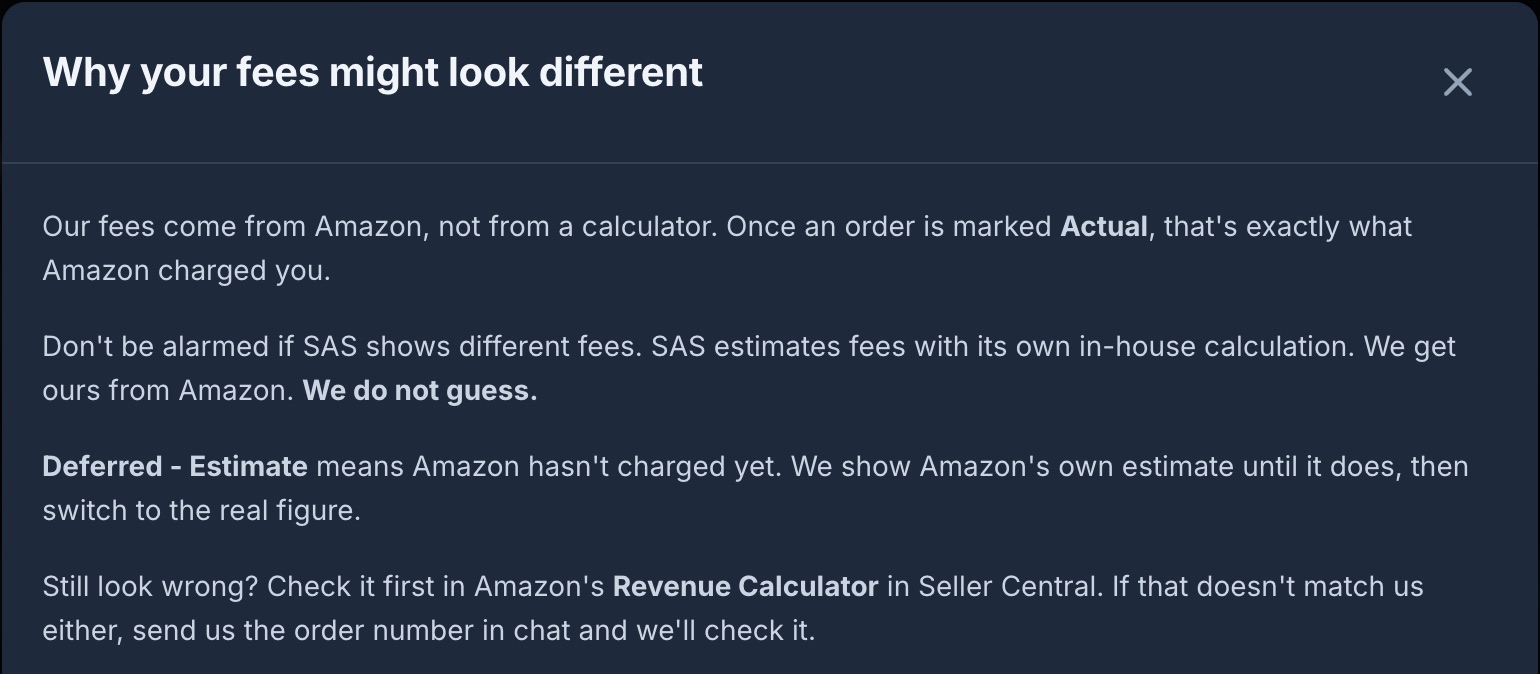
In the menu, open Amazon, then Your Orders, and click Fee Query? at the top of the page. It opens Why your fees might look different, with a short video.
Where the fees come from
The fees on every order come from Amazon. Once an order is marked Actual, the fees shown are exactly what Amazon charged you.
Fee calculators and sourcing tools often estimate fees with their own calculation, so their numbers can differ from what Amazon really charges. SellerFuse shows the figures Amazon gives.
Actual or estimate?
Hover over Fees on any order line to open Fees Breakdown. Next to the title you'll see one of two labels:
- (Actual): Amazon has charged the order. The date it was posted is shown underneath.
- (Deferred - Estimate): Amazon hasn't charged yet. You see Amazon's own estimate until it does, then the real figure replaces it.
So a recent order can change slightly once Amazon posts the real fees. That is expected, and the final figure is the one that counts.
Other reasons a figure moves
- Promotions: a promotion shown as Pending is confirmed by Amazon when the order ships, and profit drops by that amount.
- VAT on fees: how VAT on Amazon's fees is treated depends on your VAT settings. Hover over VAT on the order line to see it.
- Shipping abroad: an order sent outside the UK can carry different fees, and the order line shows where it was shipped to.
How to check a fee that looks wrong
- Check whether the fee says (Actual) or (Deferred - Estimate). An estimate may still change.
- Check the product in Amazon's Revenue Calculator in Seller Central.
- If that doesn't match SellerFuse either, send us the order number in chat and we'll check it.
Common questions
How long does an estimate last?
Until Amazon charges the order. The label then changes to Actual on its own, there is nothing for you to do.
Why does my sourcing tool show a lower fee?
It works the fee out from its own calculation. SellerFuse uses what Amazon reports, so once an order is Actual, our figure is what you paid.
Where can I see every fee on an order?
Hover over Fees on the order line. See how to read Your Orders for the full breakdown.
Still stuck?
Members get priority live chat from inside SellerFuse, from our UK team. Not a member yet? Ask in our Discord community, which is open to everyone.