Help Centre / Payouts and finance
How to see when you can request an early Amazon payout
Use the payout timer in Payout Manager to see when you can next ask Amazon for a payout, what it changes, and where to request it.
Why sellers use it
- See at a glance whether you can ask Amazon for a payout today.
- A countdown tells you exactly when the next request becomes possible.
- See how much more money becomes available if you wait, before you decide.
Amazon pays you automatically every 14 days, but you can ask for a payout sooner once your money has cleared. Ask too soon after the last one and Amazon will not let you. The payout timer in Payout Manager shows whether you can request one now, counts down to when you can, and takes you to the right page in Seller Central.
Where to find it
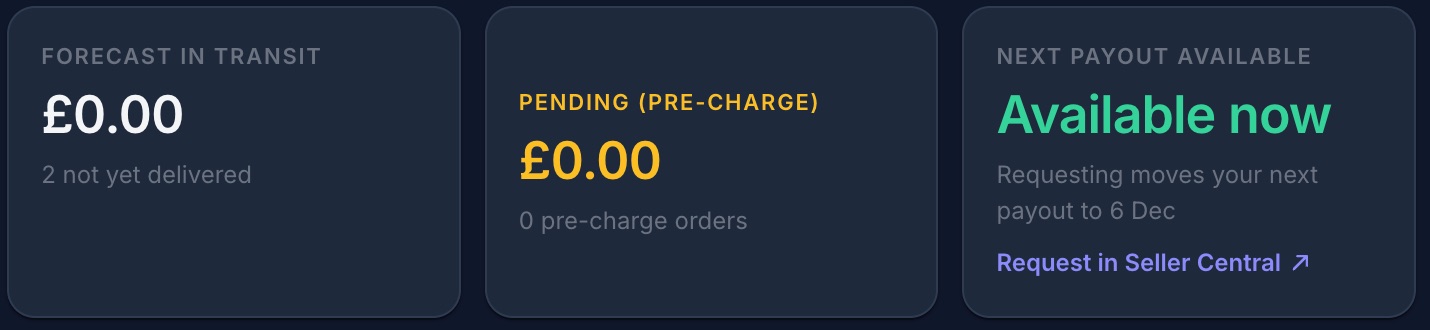
In the menu, open Amazon, then Payout Manager. On the Forecast tab, look at the Next Payout Available tile in the top row.
1Read the tile
The tile shows one of three things:
- Available now: you can request a payout today.
- A countdown with Until you can request another payout: you took a payout in the last 24 hours, and the timer shows when you can ask again.
- Awaiting data: SellerFuse has not pulled your payout schedule from Amazon yet.
2Check what you would get
Before you request, look at Available Now for what is in your balance today. Then look at the Daily DD+7 unlocks: next 14 days chart. If a large amount is released in the next day or two, waiting may give you a bigger payout.
When a payout is available, the tile also says Requesting moves your next payout to a date 14 days from today. Taking a payout restarts Amazon's 14 day clock, so your next automatic payout moves back.
3Request it in Seller Central
Click Request in Seller Central on the tile. It opens Amazon's payments page in a new tab, where you request the payout. SellerFuse does not request payouts for you. It shows you when you can and what it changes.
For more on the forecast, the calendar and past payouts, see how to use Payout Manager.
Common questions
Why does the tile say Awaiting data?
SellerFuse has not pulled your payout schedule from Amazon yet. It fills in once it has.
How long do I wait between early payouts?
The timer counts down 24 hours from your last payout request, then the tile shows Available now.
Does requesting a payout cost anything?
SellerFuse does not charge for it. The tile shows the one thing it changes: your next automatic payout moves to 14 days from the day you request.
Still stuck?
Members get priority live chat from inside SellerFuse, from our UK team. Not a member yet? Ask in our Discord community, which is open to everyone.