Help Centre / Payouts and finance
How to use Payout Manager to see when Amazon will pay you
See what Amazon is holding, when each day's money becomes available, when your next payout is due, and a full breakdown of every past payout.
Why sellers use it
- See how much money becomes available each day for the next 14 days.
- Know when your next payout is due and when you can ask for one early.
- Open any past payout and see where every penny came from.
Amazon does not pay you the moment an order ships. It holds the money for a period after delivery, then releases it into your balance, then pays it out on its own schedule. That makes it hard to know what cash is coming and when. Payout Manager shows what is available now, what is on its way, the day each amount unlocks, and a full breakdown of every payout Amazon has already sent.
Where to find it
In the menu, open Amazon, then Payout Manager. The menu item is greyed out until SellerFuse has your Amazon data.
The page has two tabs: Forecast, for money still to come, and Disbursements, for payouts already made.
How Amazon releases your money
Payout Manager is built around Amazon's DD+7 rule: money from an order is held until 7 days after the delivery date, then released into your balance. After that, Amazon pays out on a 14 day cycle, unless you request a payout sooner.
The Forecast tab
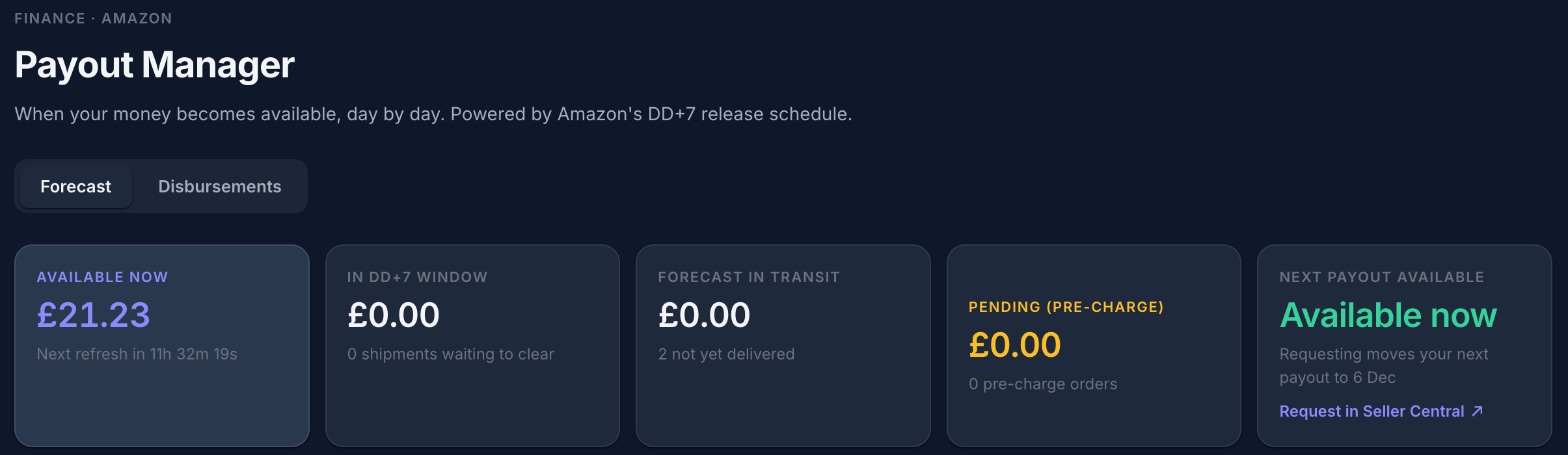
The top tiles
- Available Now: your balance at Amazon right now, with a countdown to the next refresh. If it reads Not synced, SellerFuse has not pulled your balance yet.
- In DD+7 Window: money from delivered orders still waiting out its 7 days, and how many shipments that covers.
- Forecast in Transit: orders not yet delivered, so their 7 days have not started.
- Pending (Pre-charge): orders where Amazon has not charged the customer yet. Click the tile to see each order, with its ASIN, product, order date, quantity, where it ships to and the item price.
- Next Payout Available: when you can next request a payout. See how to request an early payout.
Daily DD+7 unlocks: next 14 days
A bar chart shows how much is released into your balance on each of the next 14 days. Today is highlighted in green. Day 14 is the automatic payout day if you have not requested one sooner. Cumulative if you wait adds up everything still due to be released.
The calendar
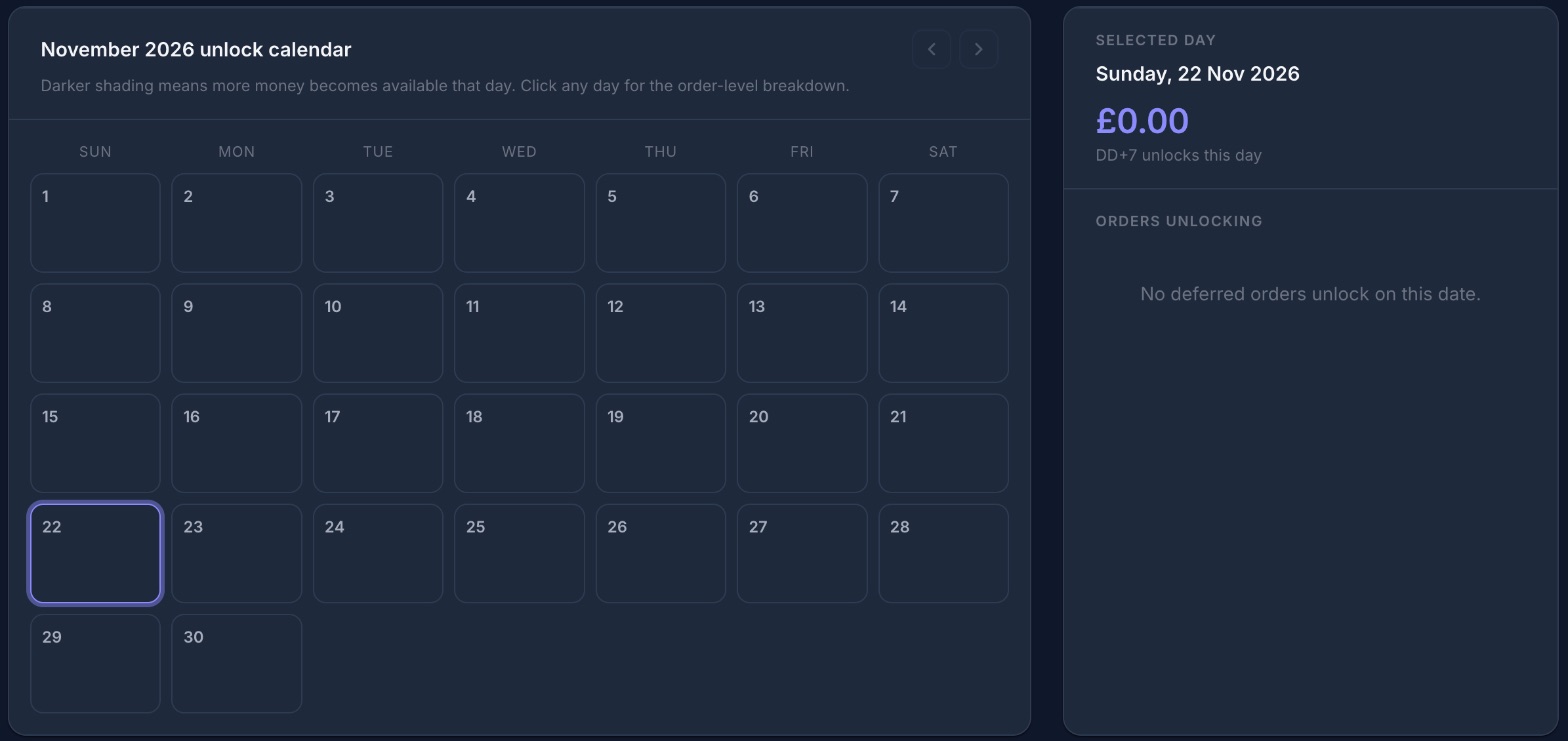
The calendar shows the month day by day. Darker shading means more money becomes available that day. Use the arrows to move to the next month while there is still money to come.
Click any day to see it under Selected Day: the total released that day and the first five Orders unlocking, with the ASIN, product and amount. Click View detailed breakdown, or View all if there are more than five, to see the full list.
The Disbursements tab
Past disbursements lists every settlement period Amazon has closed and the payout it produced, going back around two years. Each row shows the deposit date, the settlement period, the last digits of the bank account it went to, the amount, and a status:
- Settled: Amazon paid this to your bank.
- No payout: the period closed at or below zero, so nothing was paid and the balance carried into the next period.
- In progress: the current period. Click Show in progress to include it.
Amounts are shown in the currency they were deposited in. Click any row to open the full breakdown. See how to read a payout breakdown.
Why this matters
- Plan stock buys. The 14 day chart tells you how much cash will be in your balance and when, so you can time supplier payments.
- Decide whether to wait. If a large amount is released in two days, waiting may give you a bigger payout than requesting one today.
- Check every payout. The breakdown lets you see what Amazon took off, so a low payout is never a mystery.
For your profit after Amazon's fees and costs, see the SellerFuse profit tracker.
Common questions
Why does Available Now say Not synced?
SellerFuse has not pulled your balance from Amazon yet. It appears after the next refresh.
What is a pre-charge order?
An order where Amazon has not yet charged the customer, so no money is moving for it yet.
Why does a past period show No payout?
The period ended at or below zero, for example because fees or refunds were larger than sales. Amazon carries the balance into your next period instead of paying out.
Can I see payouts from more than two years ago?
The list covers around two years. Older periods can show the payout total with no line detail, because Amazon no longer provides it.
Still stuck?
Members get priority live chat from inside SellerFuse, from our UK team. Not a member yet? Ask in our Discord community, which is open to everyone.