Help Centre / Cost of goods
How to add FBM cost of goods, shipping and MCF sale prices
Add costs for products you ship yourself, record shipping label costs on FBM orders one by one or in bulk, and add sale prices to MCF orders.
Why sellers use it
- See true profit on orders you post yourself, with the label cost taken off.
- Add shipping costs to every FBM order missing one from a single page.
- Give MCF orders a sale price so they count properly in your figures.
Orders you post yourself have costs Amazon never sees: the product, and the postage label you bought. Without them, FBM orders look more profitable than they are. SellerFuse lets you set a cost for each FBM product once, and add the shipping cost to each order, either one at a time or all at once.
Where to find it
Product costs live in Amazon, then Cost of Goods, on the FBM Products tab. Shipping costs and MCF sale prices are added in Amazon, then Your Orders.
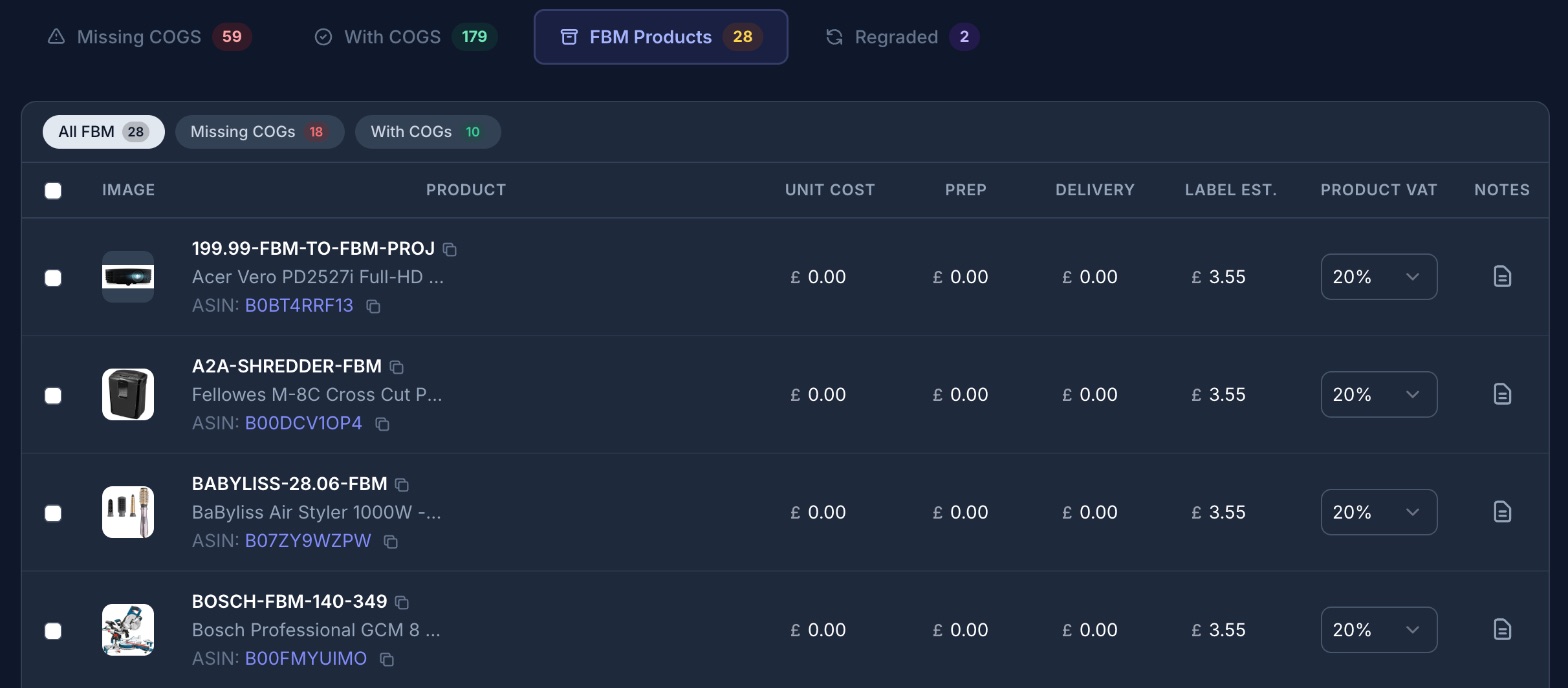
1Add your FBM product costs
On the FBM Products tab there is one row per product you ship yourself. Use All FBM, Missing COGs or With COGs to choose which you see. Fill in:
- Unit Cost: what you paid for one unit
- Prep and Delivery per unit
- Product VAT: 20%, 5% or 0%, the VAT rate on the product
- Supplier and Notes, if you want them
Click Save Changes. To set prep or delivery on many rows, tick them and use Apply Prep or Apply Delivery.
2Add a shipping cost to one FBM order
In Your Orders, each FBM order line has a Shipping Cost button. Click it, enter what the label cost, and save. The button then reads Shipping cost added, and you can click it to change the amount. The cost shows as Shipping Label in the order's fee breakdown and comes off its profit.
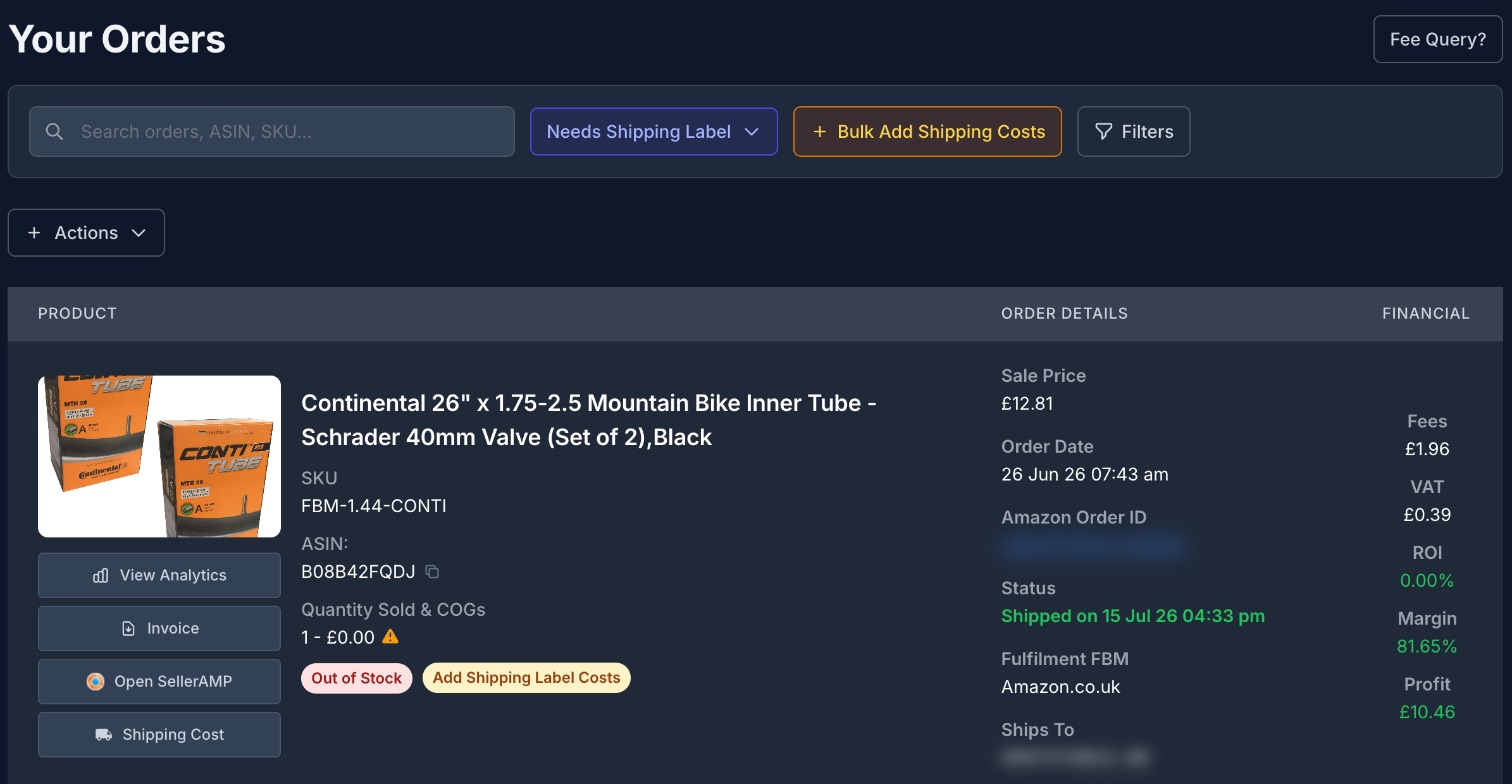
3Add shipping costs in bulk
- In Your Orders, open the status menu and choose Needs Shipping Label (FBM orders with no shipping cost) or FBM Order.
- Click Bulk Add Shipping Costs.
- The Bulk Add Shipping Label Costs page lists every FBM order still missing a shipping cost. Type a cost per order, or enter one figure in Apply to all: and click Apply.
- Click Save All Costs.
When nothing is missing, the page says All FBM orders have shipping costs.
Set a default label cost
Open Settings, then Prep & Delivery Costs. Under FBM Shipping Label Costs, enter a Default FBM Shipping Label Cost and save. Click Apply to FBM Items to give it to every FBM product with no label cost yet. This cost is included in the cost of goods the repricer works from.
MCF orders: add the sale price
Multi-Channel Fulfilment orders are sales you made elsewhere that Amazon sent from your FBA stock, so Amazon has no sale price for them.
- For one order, click the Sale Price on the order line, type the price and click Update.
- For many, choose MCF Order in the status menu and click Bulk Add MCF Costs. On Bulk Add MCF Sale Prices, enter the price per order and click Save All Prices. If you sell on eBay through SellerFuse and a matching eBay sale is found, it appears under eBay Suggestion, and Accept All eBay Suggestions fills them in.
Common questions
Do FBM costs work by shipment like FBA?
No. An FBM product has one cost row on the FBM Products tab. FBA costs are kept per inbound shipment. See how to add your cost of goods.
Can I change a shipping cost I already saved?
Yes. Click Shipping cost added on the order line and enter the new amount. It replaces the old one.
How do I find FBM products with no cost?
Click Missing COGs on the FBM Products tab. See how to find missing costs for other ways.
Still stuck?
Members get priority live chat from inside SellerFuse, from our UK team. Not a member yet? Ask in our Discord community, which is open to everyone.