Help Centre / Getting started
How to connect your Amazon seller account to SellerFuse
The four setup steps after you start your trial: your order history, VAT status, linking Amazon and letting your data import.
Why sellers use it
- Connect once and your orders, fees, stock and reimbursements flow in automatically.
- Up to 2 years of order history imported free, in the background.
- You approve access on Amazon's own page. SellerFuse never sees your Amazon password.
When you start your 14 day trial, SellerFuse takes you through four short setup steps. It takes about five minutes, and your data then imports in the background while you look around.
Before you start
- You need to be able to sign in to Amazon Seller Central as the account owner, or as a user who can authorise apps.
- You sign in on Amazon's own page. SellerFuse never sees your Amazon password.
1Historical Data Import
The first screen asks how far back to import your orders. Pick 3 months, 1 year or 2 years, or choose a date. Two years is the maximum, and there is no charge for history.
The screen shows an estimated import time. You can use SellerFuse while the import runs. Click Next Step.
2More about your business
Tell SellerFuse your VAT position (Not Registered, Standard Rate, Flat Rate or Exempt) and the currency you want your figures in: GBP, USD, EUR, CAD, AUD or JPY. Click Next Step.
Not sure about VAT? Pick what applies today. You can change it at any time, and SellerFuse recalculates your figures. See how to set up your VAT settings.
3Link your seller account
- Click Link Amazon Account.
- Choose your marketplace from the list.
- Amazon's sign in page opens. Sign in and approve access for SellerFuse.
- Amazon sends you back to SellerFuse. The status changes to CONNECTED and the button reads Account Linked.
- Click Next Step.
The marketplaces on the list are the UK, Germany, France, Italy, Spain, the Netherlands, Sweden, Poland, Turkey, Egypt, Saudi Arabia, the UAE, India, the USA, Canada, Mexico and Brazil.
4You're all set
Click to continue to your dashboard. Your data syncs in the background, which can take up to 60 minutes. There is no need to wait on the page.
SellerFuse pulls in your:
- Orders, fees and refunds
- FBA and FBM inventory, and your product catalogue
- Inbound shipments, ready for your cost of goods
- Customer returns and reimbursements
- Inventory ledger and payout transactions
Next steps
- Add your cost of goods, or import them from a spreadsheet. Profit, ROI and margin need them.
- Set up the repricer.
Reconnecting Amazon
Amazon's permission for SellerFuse lasts 12 months. To check it, open Settings from the menu under your name, then Link Your Seller Central. The status shows Connected, Expiring Soon (from 11 months), Expired, or Access lost, please reconnect. Click Reconnect and sign in to Amazon again.
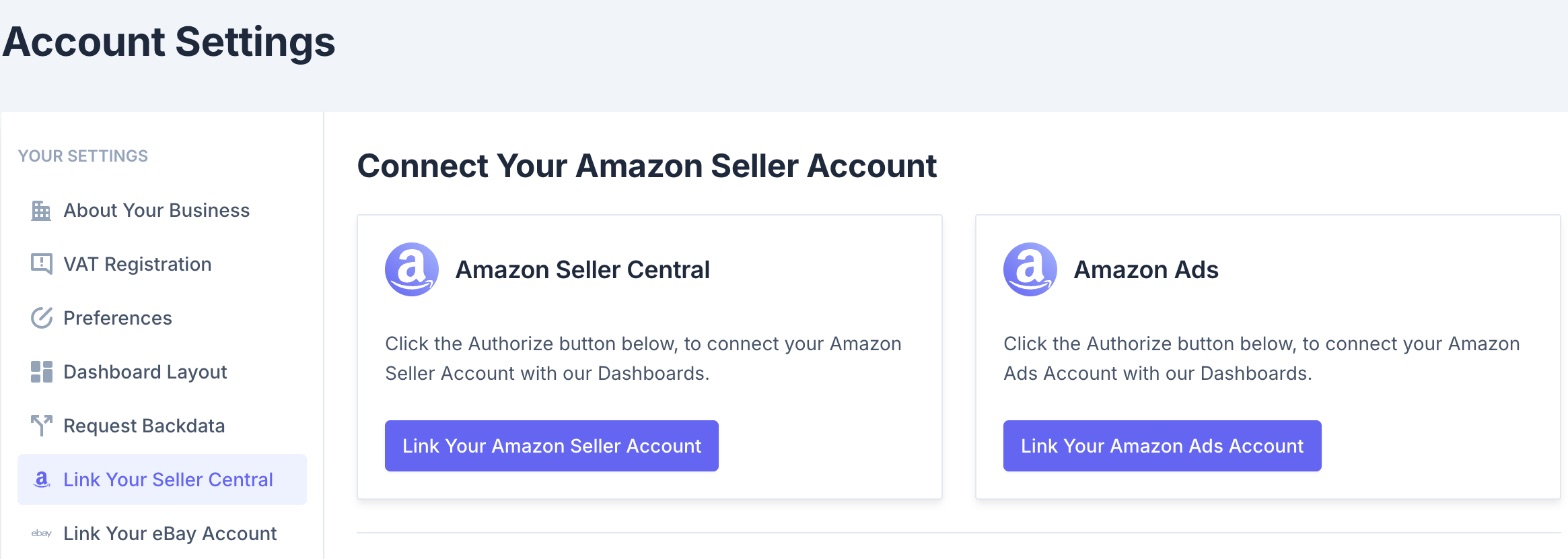
If SellerFuse is removed from Manage Your Apps in Seller Central, Amazon stops sending data and your dashboard asks you to reconnect.
Common questions
Does SellerFuse charge for my order history?
No. Up to 2 years of history is included in your plan.
Is it safe to connect my Amazon account?
Yes. You approve access on Amazon's own page, and SellerFuse connects through Amazon's official Selling Partner API. SellerFuse never sees your Amazon password.
How long does the import take?
The setup screen estimates about 15 minutes for 3 months of history, about 45 minutes for a year and about 90 minutes for 2 years. You can use SellerFuse while it runs.
Still stuck?
Members get priority live chat from inside SellerFuse, from our UK team. Not a member yet? Ask in our Discord community, which is open to everyone.