Help Centre / Cost of goods
How to set product VAT rates from Amazon with Auto VAT
Use Auto VAT to set each shipment line's product VAT rate from the tax code on your Amazon listing, preview every change and keep rates you set.
Why sellers use it
- Zero and reduced rate products get the right VAT rate without checking each one.
- See every change before it is saved. Rates other than 20% are never touched.
- Switch on Set VAT rates and new shipments get their rate as they sync.
A shipment line left at the standard 20% product VAT is wrong for books, most food and children's clothes, and that throws out the VAT in your cost and your profit. Amazon already holds a tax code for each of your listings. Auto VAT reads that code and sets the matching rate on your shipment lines, so you don't have to look each product up.
Where to find it
In the menu, open Amazon, then Cost of Goods, and click Auto VAT next to the search box. You can also click Import COGS and choose Sync with Auto VAT.
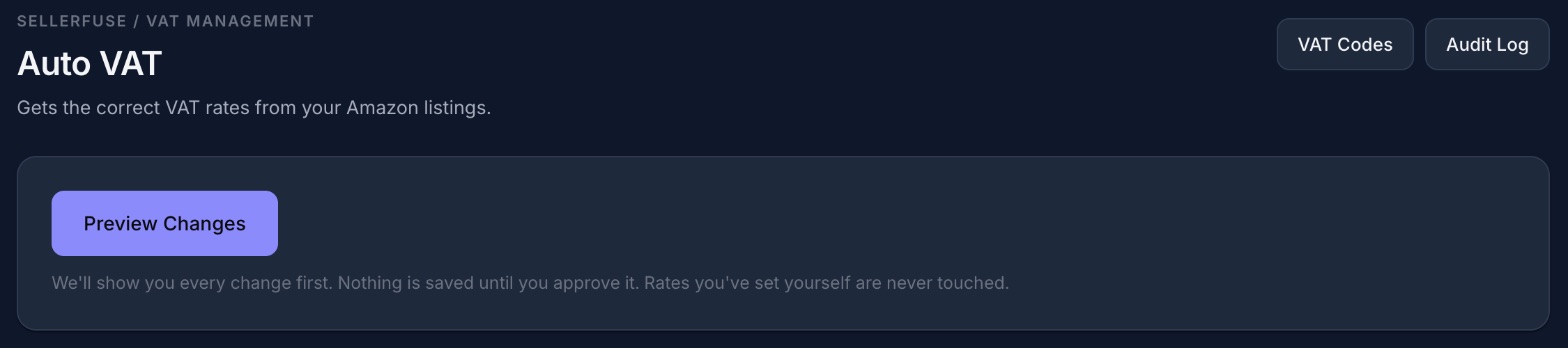
1Preview the changes
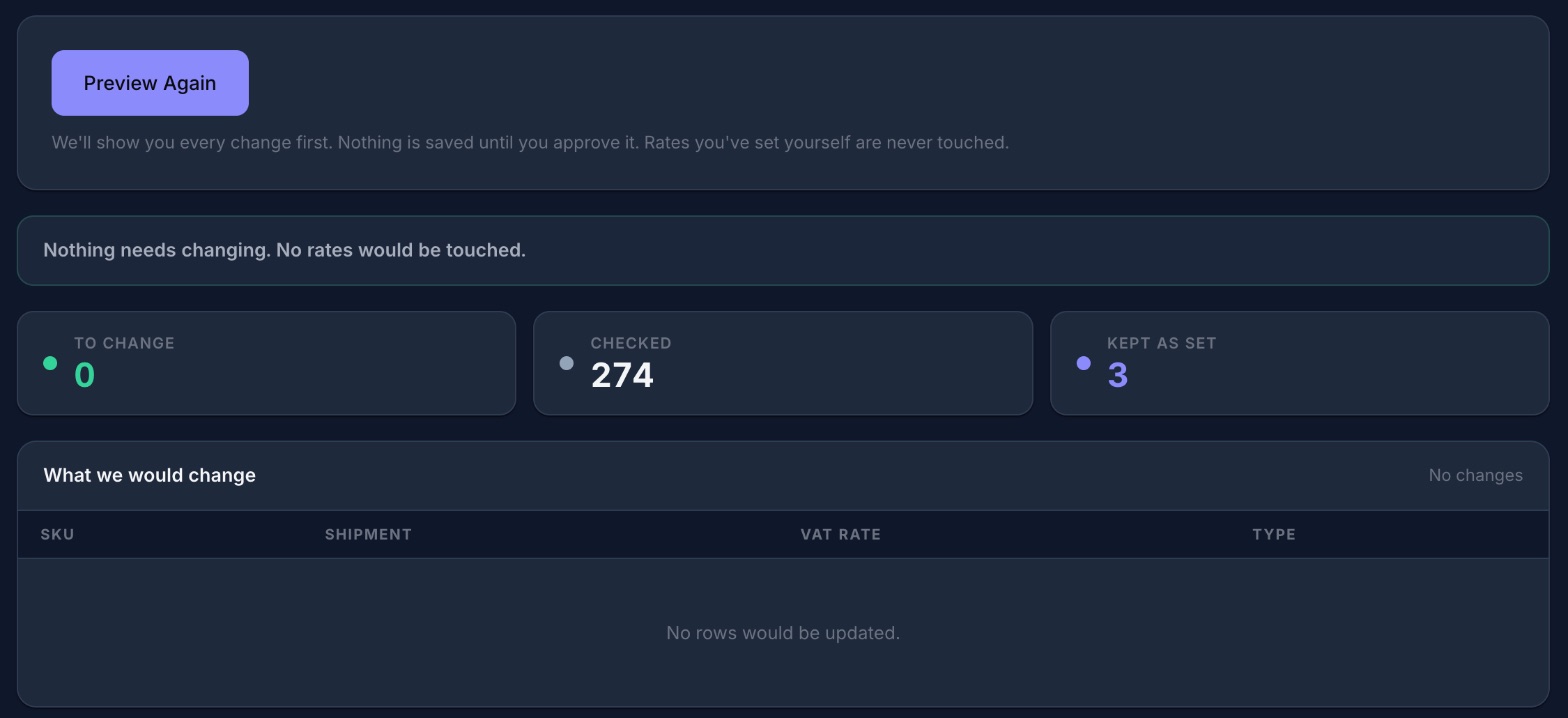
Click Preview Changes. Nothing is saved at this stage. You see three totals:
- To Change: shipment lines whose rate would change
- Checked: lines that were looked at
- Kept As Set: lines that already have a rate other than 20%, which are left alone
The table shows each SKU, its Shipment, the VAT Rate now and what it would be, and the Type from Amazon, such as Standard Rate, Reduced Rate, Zero Rate or Exempt.
2Check, then apply
Look down the list before you approve it. A rate of 0% should only appear on zero rated products. When you are happy, click Apply Changes, or Cancel to leave everything as it is. You then see how many lines were fixed, and your profit figures update for those products.
Which rates it sets
| Amazon tax code | Product VAT rate |
|---|---|
| Standard Rate | 20% |
| Reduced Rate | 5% |
| Zero Rate or Exempt | 0% |
Some product type codes are mapped too, such as books, many food types and children's clothing at 0%. Listings with Amazon's No Tax code are ignored, because that code doesn't tell us the product's real rate.
What it never changes
- Lines that already have a rate other than 20%, such as 0% or 5% you entered. These show as Kept As Set.
- Listings with no tax code, or a code it doesn't know
Only lines that are blank or at 20% can change.
Set the rate on new shipments automatically
Open Settings, then Preferences, and switch on Set VAT rates under Automations. New shipment lines then get their rate from the Amazon tax code as they sync, using the same rules. Click See changes next to the switch, or Audit Log on the Auto VAT page, to open the Auto VAT Audit. It lists each decision with the SKU, shipment, the listing's tax code, the VAT change and the result.
Common questions
Does this change whether I am VAT registered?
No. It sets the VAT rate on the product. Your registration and scheme are in your VAT settings.
Amazon's code is wrong for one product. What do I do?
If the right rate is 0% or 5%, set it on that line in Cost of Goods and Auto VAT leaves it alone. If the right rate is 20%, the line stays a candidate, so check the preview list each time before you click Apply Changes.
Can I run it again later?
Yes. Click Preview Again or come back any time. Lines it already changed are no longer at 20%, so they aren't touched again.
Still stuck?
Members get priority live chat from inside SellerFuse, from our UK team. Not a member yet? Ask in our Discord community, which is open to everyone.