Help Centre / Repricer
How to read the Repricing Hub and see what your repricer is doing
Learn what each card on the Repricing Hub shows, from Buy Box win rate to Profit Boost, and where to go next to fix or check a listing.
Why sellers use it
- See your Buy Box win rate, reprices in the last 24 hours and price rises on one page.
- Find listings your rules cannot price, with the reason, before they cost you sales.
- Profit Boost cards show the extra profit Intelligent Pricing has kept for you.
A repricer that works in the background is only useful if you can see what it is doing. The Repricing Hub puts your Buy Box results, recent price changes, rules and any problems on one page, so you can check everything is working in a minute and jump straight to anything that needs you.
Where to find it
In the menu, open Repricer, then Repricing Hub. The first time you open the repricer you are asked to read the Repricer Terms of Use and click Accept & Continue.
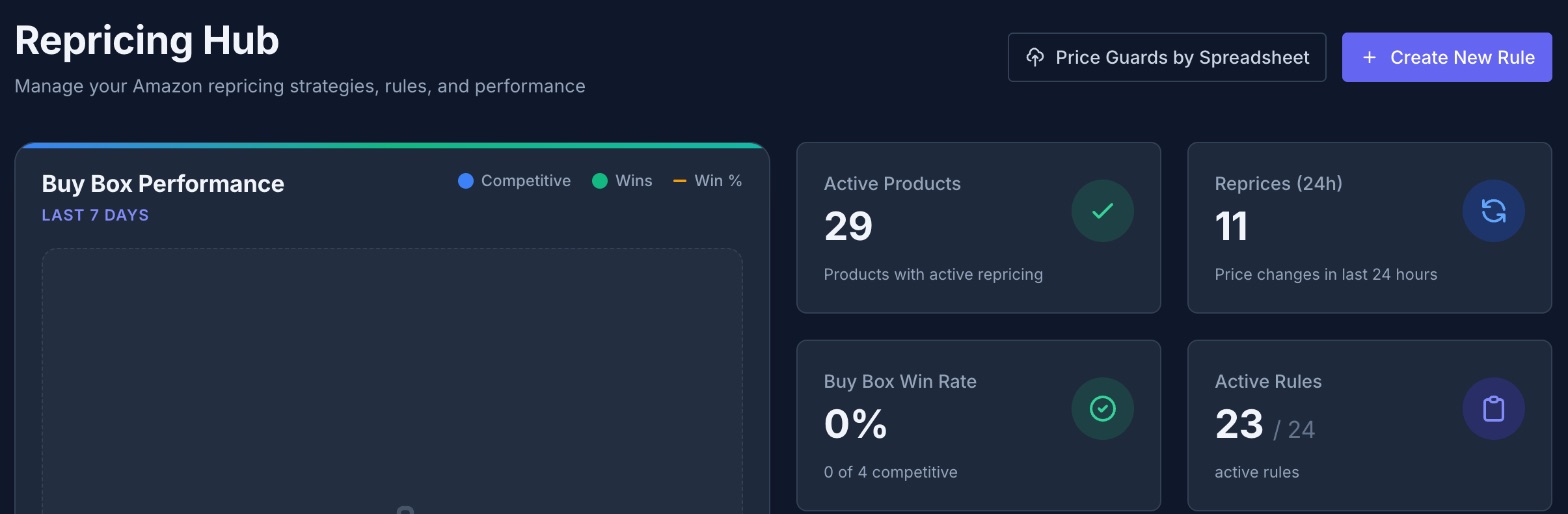
At the top right are two buttons: Price Guards by Spreadsheet, to set Min and Max prices for many listings in one file (see price guards), and Create New Rule. If this is your first rule, follow how to set up the repricer.
Listings not repricing due to rule setup
If any listing has a rule but the rule cannot produce a price, an amber box appears at the top of the Hub, for example "2 listings not repricing due to rule setup". Click View affected listings to see each product, the issue and when it was last checked. The issues it reports include:
- The rule is set to Go to Max but the listing has no Max Price.
- The rule is set to Go to Min but the listing has no Min Price.
- No cost of goods is set, so the profit floor cannot be worked out.
- The rule on the listing no longer exists.
A listing drops off this list as soon as it reprices again, so once you fix the cause it clears itself.
Buy Box Performance
The chart covers the last 7 days. For each day it shows Competitive (listings you were competing on that day), Wins (listings where you held the Buy Box) and Win %. Under it you see the averages for the week. It fills in as Amazon sends offer changes, so a new account may show "No buy box data yet" for a short while.
The headline cards
| Card | What it shows |
|---|---|
| Active Products | Listings that are on a repricing rule. |
| Reprices (24h) | Price changes the repricer made in the last 24 hours. |
| Buy Box Win Rate | The share of your competitive listings where you hold the Buy Box, for example "18 of 25 competitive". |
| Active Rules | Active rules out of all your rules. A paused rule does not count. |
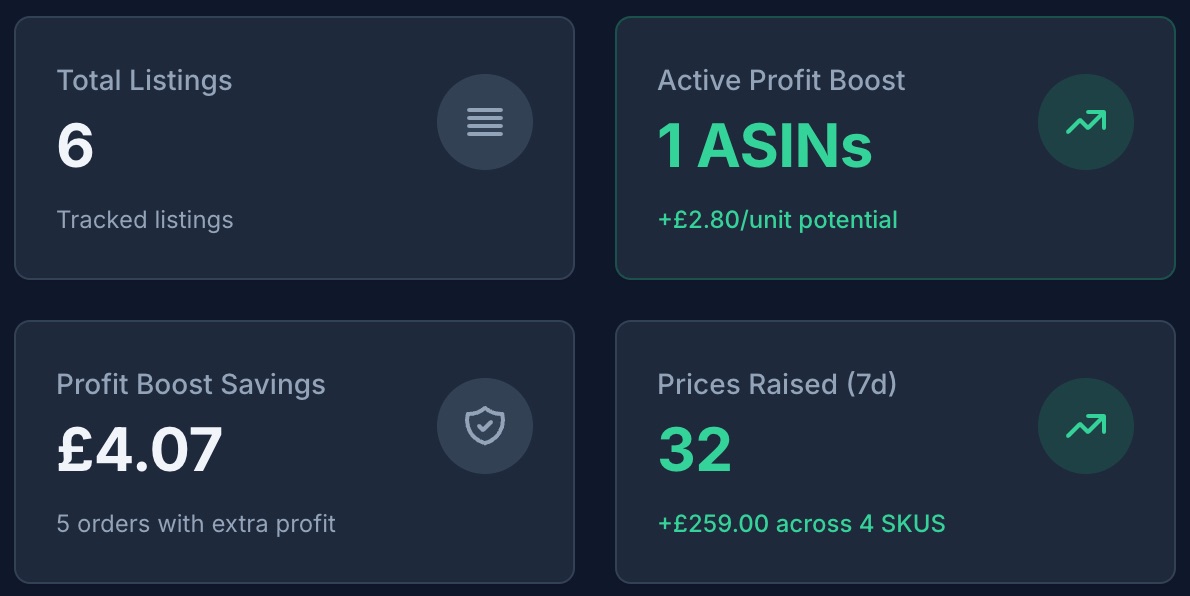
| Total Listings | All the listings the repricer tracks. |
| Active Profit Boost | How many ASINs have a Profit Boost running right now, and the extra profit per unit it is protecting. |
| Profit Boost Savings | The extra profit made on orders while a Profit Boost was running, and how many orders. |
| Prices Raised (7d) | How many price rises the repricer made in the last 7 days, the total amount added and across how many SKUs. |
What Profit Boost means
Intelligent Pricing checks other sellers' stock to maximise your chance of selling at a higher profit. When it keeps your price higher than it would otherwise be, SellerFuse records it as a Profit Boost. The difference is the extra profit on each unit.
Click Active Profit Boost to open Profit Boost Events, which lists each product, the Profit Saved per unit, whether it is still Protecting or has Ended, and when it started. Click Profit Boost Savings to see each order that sold while a boost was running, with the extra profit on it. There is more on this in Optimise mode and Profit Boost.
Last 10 Reprices and Currently Winning Buy Box
Last 10 Reprices lists the most recent price changes with the price Before and After, the Change, the Rule that made it and whether you had the Buy Box. A change made outside a rule shows as Manual.
Currently Winning Buy Box lists the listings where you hold the Buy Box now, with Your Price, the Buy Box Price, how it is fulfilled and your stock.
Your Repricing Rules
Each rule shows whether it is Active or Paused, its floor and how many products are on it. If you have no rules yet, click Create Your First Rule.
Shortcuts at the bottom
- Manage Listings: opens Repricer Listings.
- Create New Rule and Manage Rules: the rule creator and your rules.
- Profit Boost Events: every time your margin was protected.
- Manage Snoozes: your Master Snooze schedule. See snooze repricing.
- Audit Log: every change to your rules, listings and settings.
- Buy Box Hunter: live hunts and hunt history. See Buy Box Hunter.
- Competition Watch: your competitors and where you stand.
- Repricing Log: the full history of price changes.
Common questions
How often does the repricer run?
It checks your listings every 10 minutes, all day. The Hub shows the results of those runs.
Why is my Buy Box chart empty?
The chart builds from Amazon's offer change updates. It fills in once competitors on your listings move their prices.
Why is a listing on the amber list when it has a rule?
The rule needs something the listing does not have, such as a Max Price or a cost of goods. Fix that and the listing reprices on the next run. See why didn't my price change.
Still stuck?
Members get priority live chat from inside SellerFuse, from our UK team. Not a member yet? Ask in our Discord community, which is open to everyone.