Help Centre / Cost of goods
How to fill in cost of goods from your SKUs with Auto COGS
Use Auto COGS to read the cost already written in your SKUs, review every value, and fill in missing cost of goods without typing.
Why sellers use it
- Already put the price in your SKUs? Auto COGS reads it and fills in your cost of goods.
- Hundreds of missing costs found in one scan, then checked by you before anything is saved.
- Works on FBA shipment lines, FBM products and regraded items with no cost yet.
Lots of sellers write what they paid into the SKU, such as SF-12.50-231126 for a phone case bought at £12.50. That cost is already on your listing, so typing it again into cost of goods is double work. Auto COGS scans your SKUs, pulls out the cost and fills in every line that is missing one, after you have checked the list.
Where to find it
In the menu, open Amazon, then Cost of Goods, and click the Auto COGS button next to the search box. You can also click Import COGS and choose Sync with Auto COGS.
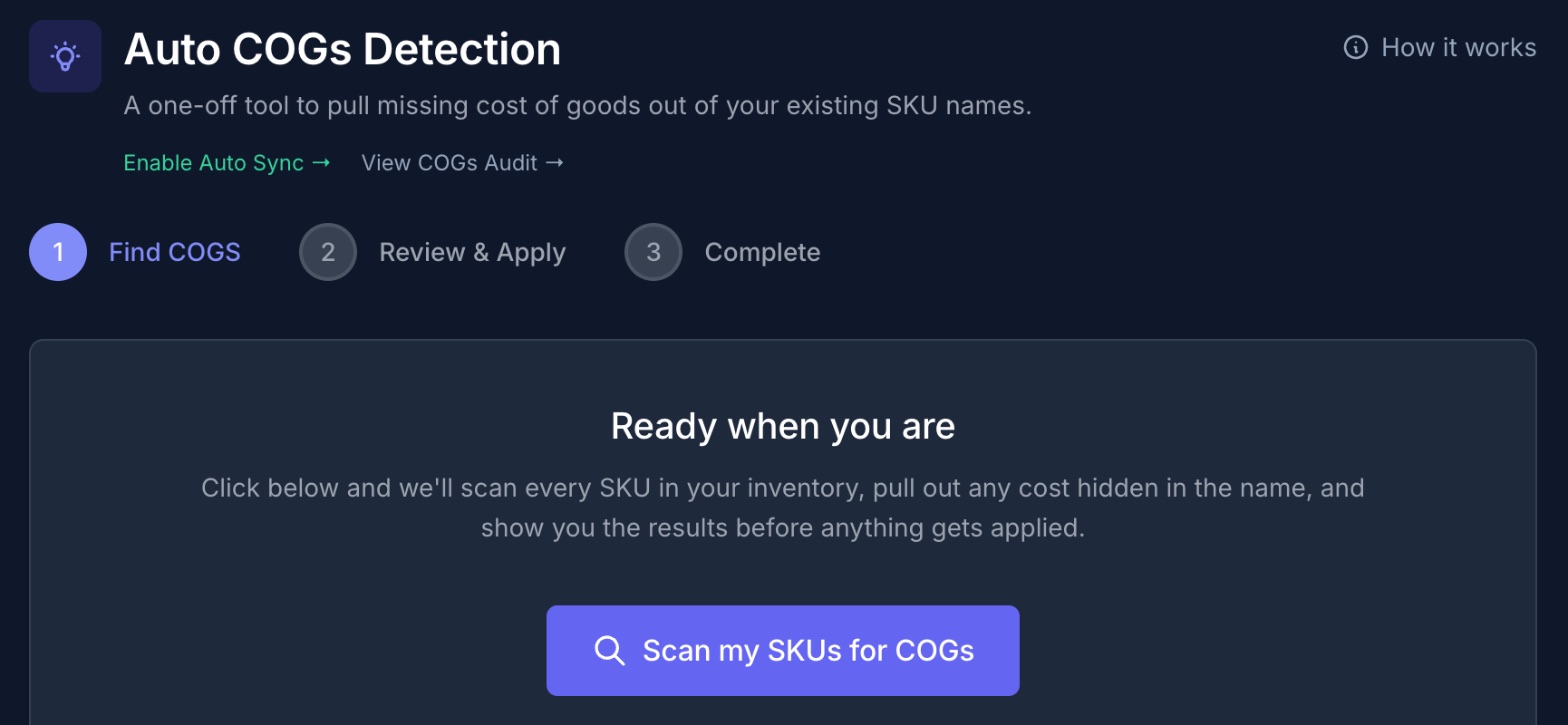
1Find COGS
On the Auto COGs Detection page, click Scan my SKUs for COGs. SellerFuse checks every item that has no cost yet:
- FBA shipment lines with a blank or £0 cost
- FBM products with no cost
- Regraded items. If a regraded SKU has no price in it, SellerFuse offers the cost of the original item instead.
Amazon's own random SKUs are skipped, because they never contain a cost.
2Review & Apply
You see how many SKUs Analyzed, how many COGS Found and how many Need Review. The table lists each SKU, its Current COGS, the New COGS found and the Pattern used to read it.
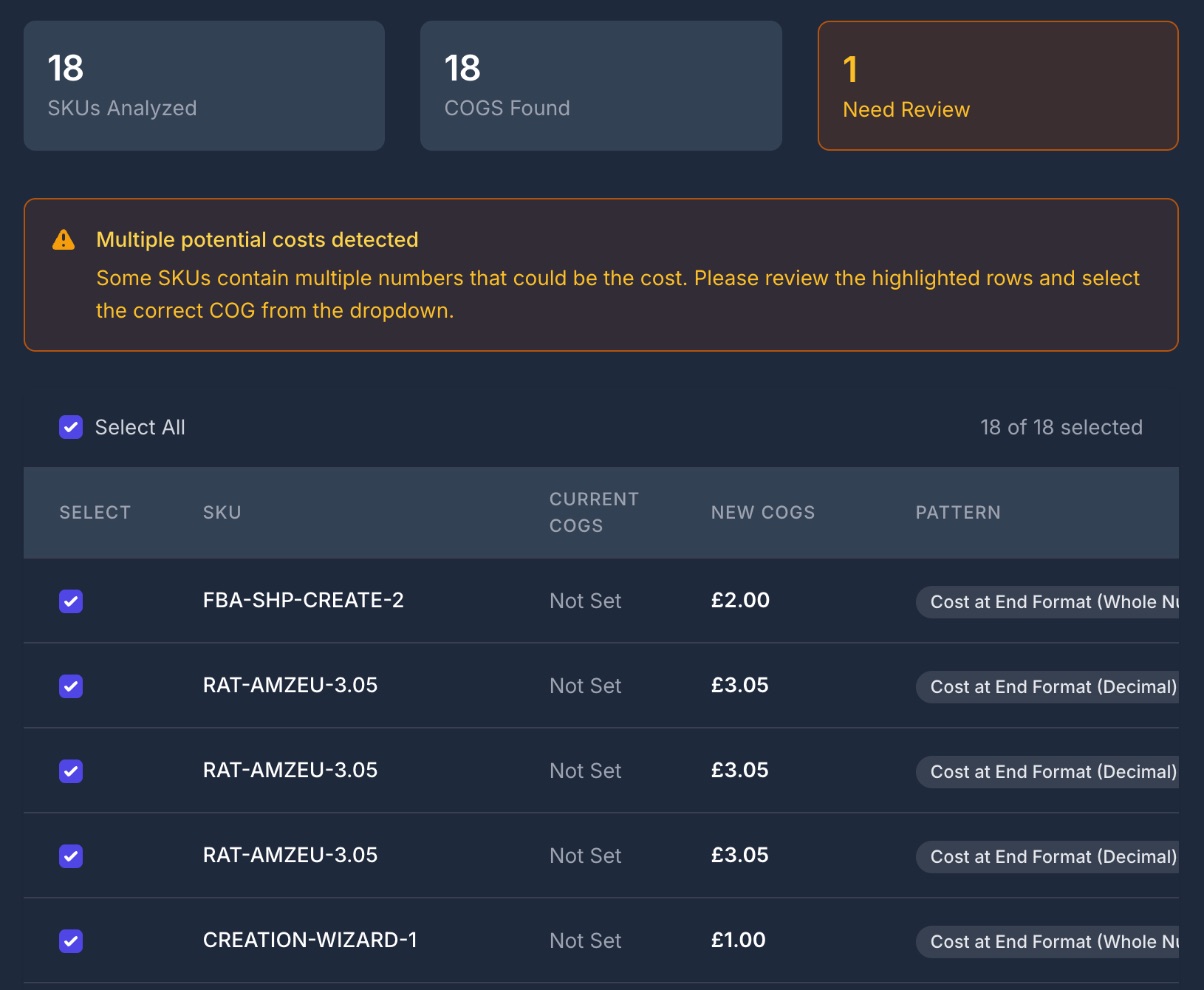
- Every row starts ticked. Untick any you don't want, or use Select All.
- If a SKU holds more than one price, such as a cost and a sale price, the row is highlighted and you pick the right figure from a dropdown.
Click Apply. The button shows how many values will be saved.
3Complete
You see how many items were updated. Click Run Auto COGS Again after your next shipment, or Back to COGS Wizard to return to Cost of Goods.
What it changes
- Only items with no cost. A cost you have already entered is never overwritten.
- If you have a default prep or delivery cost set in Settings, Prep & Delivery Costs, it is added to lines that have none.
- Nothing is saved until you click Apply.
SKU formats Auto COGS reads
Any SKU made with the Custom SKU Builder that includes a Cost (COG) block can be read back by Auto COGS, so the cost fills itself in. Auto COGS also reads many common layouts sellers already use. For example:
| Example SKU | Cost read |
|---|---|
| SF-12.50-231126 | £12.50 |
| SF-12.50-K7Q2 | £12.50 |
| SF_12.50_231126 | £12.50 |
| SF-231126-12.50 | £12.50 |
| 12.50-SF-A1B2 | £12.50 |
If your SKUs use a layout that isn't picked up, use the Need a Custom Pattern? box on the page: Submit a Discord ticket with a few SKU examples and the cost each one should give, and support for your format can be added.
Make every new SKU readable
Set up your format once in the Custom SKU Builder and include a Cost block. A setup we recommend is Prefix + Cost + Date with the Dash separator and Pounds (12.50), which gives SKUs like SF-12.50-231126. Every new listing you make with Auto Generate then carries its cost, ready for Auto COGS to fill in.
Common questions
Is this the same as Fill in cost of goods?
No. Auto COGS reads costs from SKU names when you run it. Fill in cost of goods copies your last cost for the same SKU onto new shipments by itself.
Can I undo a value it applied?
Change it in Cost of Goods like any other cost and click Save Changes. See how to add your cost of goods.
Why is a SKU marked Need Review?
It contains more than one number with a decimal point, for example a cost and a sale price. Pick the cost from the dropdown before you apply.
Still stuck?
Members get priority live chat from inside SellerFuse, from our UK team. Not a member yet? Ask in our Discord community, which is open to everyone.