Help Centre / Repricer
How to create a repricing rule from a template in SellerFuse
Use the Template Library to add a ready made repricing rule in one click, or open it in the rule creator to change it before you save.
Why sellers use it
- Add a working repricing rule in one click, with the floor and competitor settings already filled in.
- Six templates cover Buy Box hunting, steady ROI, fixed profit, margin and clearing old stock.
- Open any template in the rule creator first if you want to change a number before saving.
Building a rule from scratch means choosing a floor, how to price against Prime and non-Prime sellers, and what to do when you are the only seller. A template does that for you. Pick the one closest to how you sell, use it as it is or change it, then put your listings on it.
Where to find it
In the menu, open Repricer, then Repricing Rules. Click New rule, then From a template. If you have no rules yet, the same From a template button is in the middle of the page. The Template Library opens.
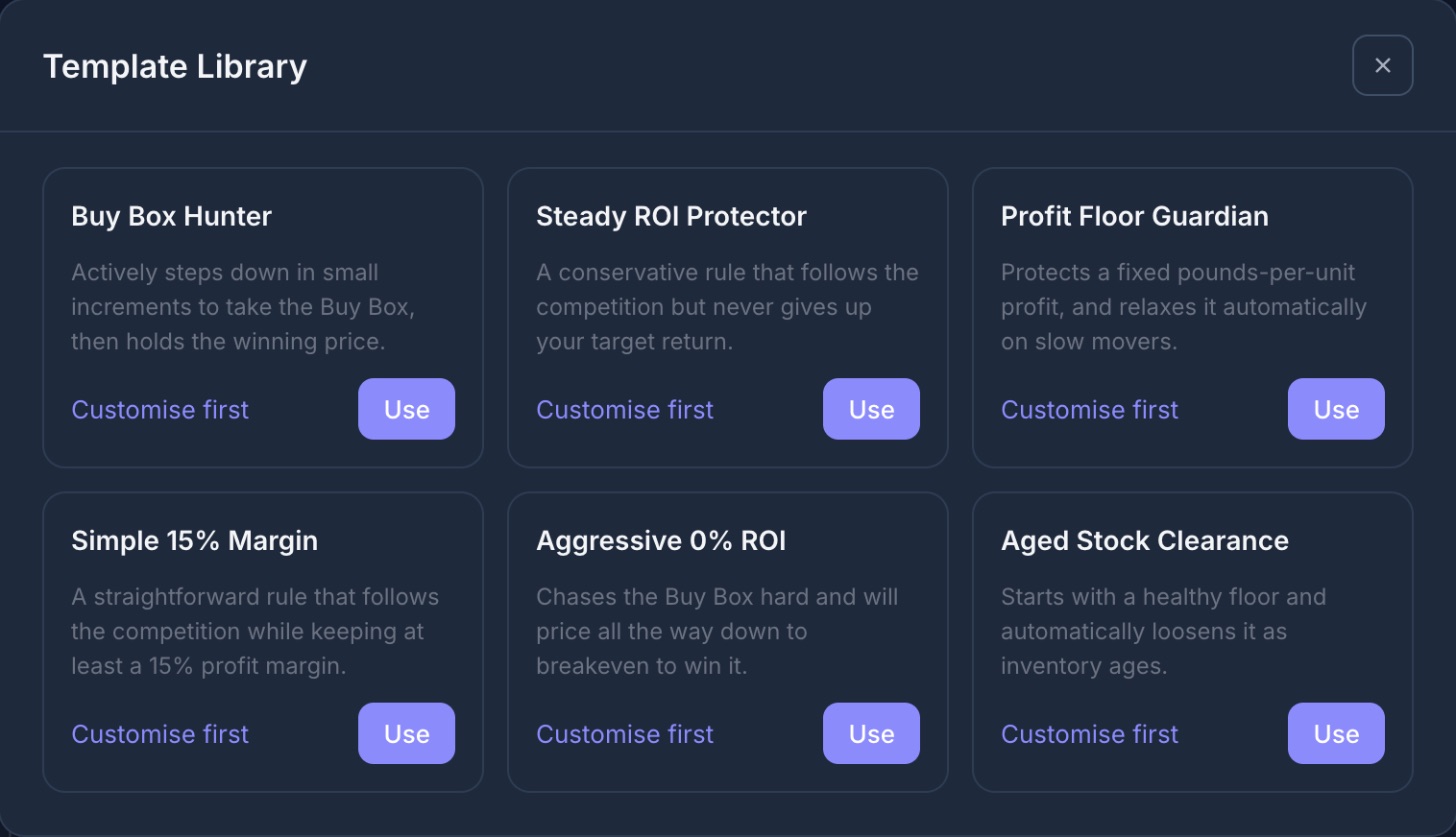
The templates
| Template | What it does |
|---|---|
| Buy Box Hunter | Min ROI of 15%. Matches Prime sellers and ignores non-Prime sellers. Buy Box Hunter is on, with a budget of 10p, drops of 1p, a 60 minute wait and Hold the price after winning switched on. Goes to your Max Price when you are the only seller. |
| Steady ROI Protector | Min ROI of 25%. Matches Prime sellers, ignores non-Prime sellers and goes to your Max Price when you are the only seller. |
| Profit Floor Guardian | Min Profit of £3.00 per unit. If there are no orders for 30 days, an automation lowers the floor to £2.00, and it goes back once the item sells again. Keeps the current price when you are the only seller. |
| Simple 15% Margin | Min Margin of 15%. Matches Prime sellers, ignores non-Prime sellers and goes to your Max Price when you are the only seller. |
| Aggressive 0% ROI | Min ROI of 0%, so it can go down to breakeven. Buy Box Hunter is on with the same settings as the Buy Box Hunter template. |
| Aged Stock Clearance | Min ROI of 20%. Stock held 60 days or more drops the floor to 10% ROI, and no orders for 30 days drops it to 5% until the item sells again. Goes to your Min Price when you are the only seller. |
Go to Max and Go to Min need a Max or Min Price on the listing. See price guards.
1Choose Use or Customise first
Each template has two choices:
- Use saves the rule straight away with the template's settings. If you already have a rule with the same name, a number is added, for example "Steady ROI Protector (2)".
- Customise first opens the template in the rule creator with every field filled in. Change anything you like, for example the Min ROI, then click Save rule.
2Check the rule
Back on Repricing Rules, click the new rule. The This rule will panel lists what it does in plain words. Click the i next to a line for a short explanation. Click Edit rule to change it at any time.
3Put your listings on it
A new rule has no listings yet. Open Repricer Listings and choose the rule on a listing, or use Bulk Apply Rules for many at once. You can also make it your default rule for new listings.
Other things you can do on the Rules page
- Switch a rule between Active and Paused. A paused rule leaves its listings at their current price.
- Duplicate a rule to make a variation of it.
- Snooze opens the rule at its snooze settings.
- Set as default makes it the rule for new listings.
- Delete removes the rule.
- The link under the rule, such as View 12 listings, opens Repricer Listings filtered to that rule.
Common questions
Do templates use my cost of goods?
Yes. Every floor is worked out from your real costs, so add your cost of goods first. Listings with no cost are skipped.
Can I change a rule I made from a template?
Yes. Once saved it is an ordinary rule. Click Edit rule and change any setting.
Does using a template change any prices straight away?
No. The rule has no listings until you put some on it.
Still stuck?
Members get priority live chat from inside SellerFuse, from our UK team. Not a member yet? Ask in our Discord community, which is open to everyone.