Help Centre / Reimbursements and shipments
How to claim units missing from an FBA shipment in Reconciliation
Find FBA shipments Amazon received short, see how long you have left to claim, and record your case so SellerFuse can track the payment.
Why sellers use it
- See every shipment Amazon received short, with what the missing units cost you.
- Know exactly how many days you have left before Amazon's claim window closes.
- Record a case once and SellerFuse spots Amazon's payment when it arrives.
When you send stock to Amazon, some units can go missing between your boxes and the shelf. Amazon accepts a claim for them, but only between 15 and 60 days after it first received the shipment. The Shipments tab lists every short shipment with its deadline, so nothing slips past the window.
Where to find it
In the menu, open Amazon, then Reconciliation, and click the Shipments card. You can also click the Shipments tab at the top of any Reconciliation page.
1Start with what needs action
Four cards sit at the top. Each one is a filter, so click it to show only those shipments:
- Needs your action: shipments with missing units and no case logged, with the total value and units missing.
- Closing within 14 days: file these first.
- Window closed, not claimed: too late to claim now.
- Recovered from Amazon: shipments Amazon has paid out on.
The quick filters under the cards add Case opened, Done, All, Excess received and Still receiving. The search box finds a shipment ID or SKU whatever its status.
2Read the claim deadline
The Claim deadline column tells you where each shipment stands:
- Opens in N days: too early. Amazon will not take the claim yet.
- N days left, with a claim by date: file it now.
- Today is the last day: file it today.
- Too late to claim: the window has closed.
The Missing column shows how many units are missing out of how many were sent, and Worth shows what they cost you, using the cost price on each SKU.
3See which products are short
Click the arrow at the start of a row to open it. You see each product on the shipment and how many units are missing. There is a link to Open this shipment in Seller Central, where you file the claim.
4Record your case
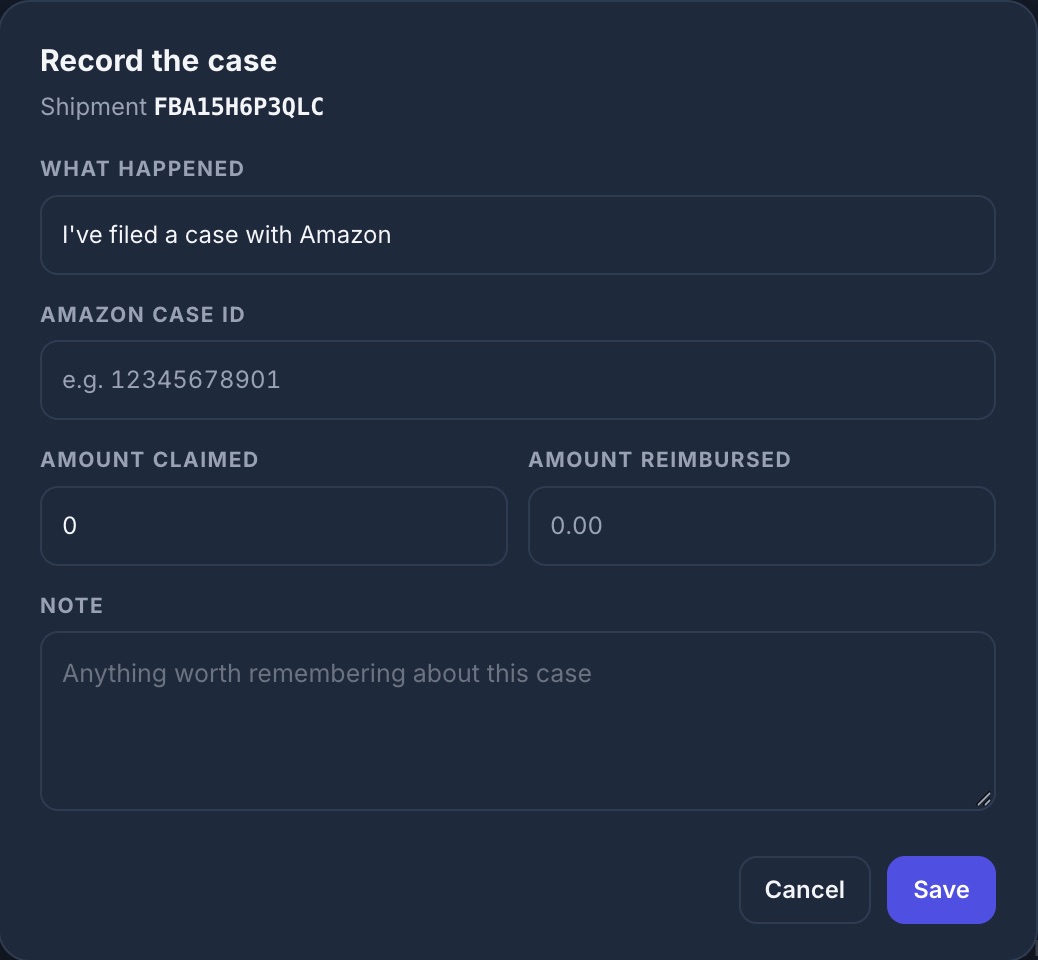
Once you have filed the claim with Amazon, click I've filed a case on the row. In Record the case, choose what happened, add the Amazon case ID and the Amount claimed, add a Note if you like, and click Save. The status changes to Case opened.
The same box lets you record other outcomes: Amazon reimbursed me, Not worth chasing (write off) or Claim window closed, nothing claimed.
5Confirm Amazon's payment
When SellerFuse finds a reimbursement that matches the shipment, a green note on the row says Amazon may have paid this. with the payment details. One click records it as resolved. If it was the wrong shipment, use Undo.
Update lots of shipments at once
Tick the shipments you want, then under Mark them as pick Case opened, Resolved, Written off or Claim window closed and click Update. You are asked to confirm first, and you can undo it afterwards.
On the Window closed, not claimed view, the Mark all as closed button (it shows the number of shipments) tidies away every out of window shipment on your account, not just the page you can see.
Want SellerFuse to write the Seller Support message for you? Use the Appeals Hub. Cases you save there update this tab too.
Common questions
Why are some shipments marked Claim window closed without me doing it?
Each night, shipments past the deadline with nothing recorded are marked closed so they stop counting as owed. The Recent changes line shows this and gives you an Undo.
Why does Worth say No cost price?
The SKU has no cost of goods. Add the cost and the value appears.
Why is my shipment not listed?
Only shipments Amazon has closed are checked for missing units. A shipment still being received shows under Still receiving.
Still stuck?
Members get priority live chat from inside SellerFuse, from our UK team. Not a member yet? Ask in our Discord community, which is open to everyone.