Help Centre / Listings and sourcing
How to track and remove negative feedback with the Feedback Tool
See every negative and neutral seller feedback rating in SellerFuse and go straight to Amazon to ask for removal of feedback that breaks the rules.
Why sellers use it
- Spot 1, 2 and 3 star seller feedback without searching Seller Central.
- See how much problem feedback arrived in the last 30 days at a glance.
- Jump straight to Amazon's removal page for feedback that breaks the rules.
One unfair rating can drag down your seller feedback score, and you can only get it removed if you spot it. The Feedback Tool's negative feedback tracker pulls your neutral and negative seller feedback into one list, so you can read it, decide what Amazon should remove and get there in one click.
Where to find it
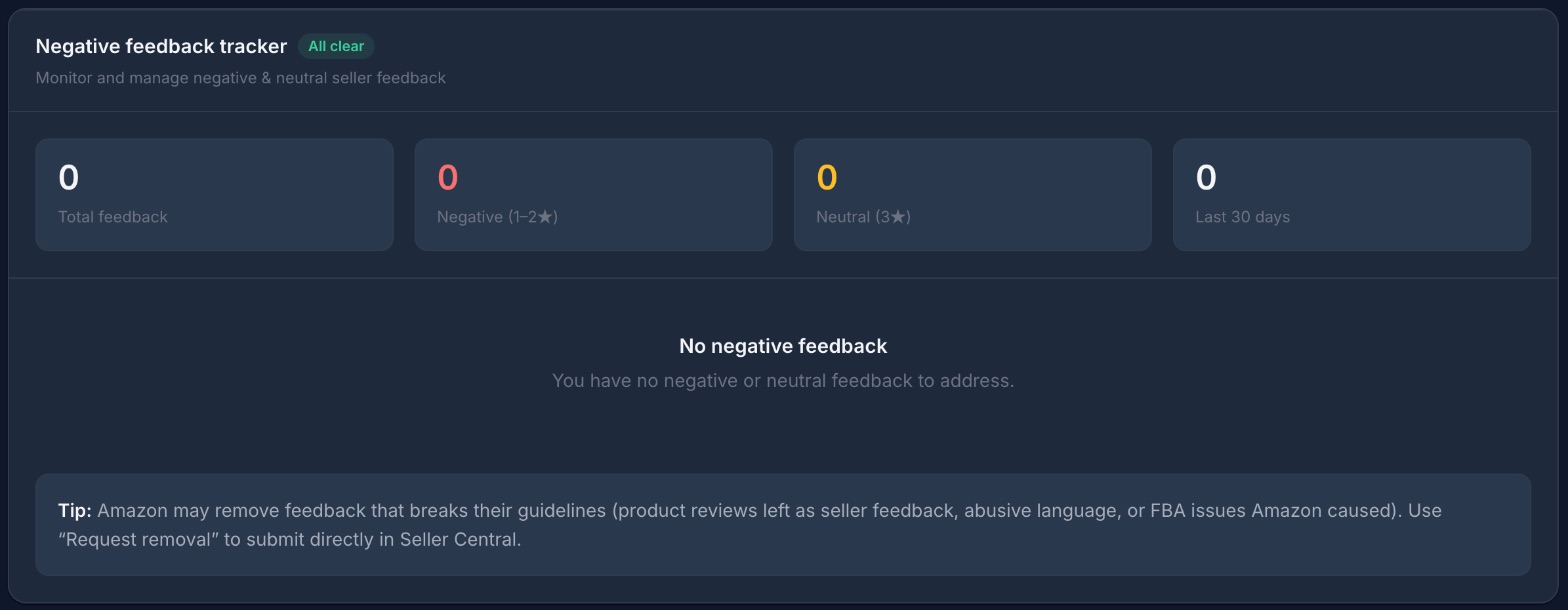
In the menu, open Amazon, then Feedback Tool. The Negative feedback tracker is on the Review Requests page.
1Read the totals
The tracker shows four figures:
- Total feedback.
- Negative: 1 or 2 stars.
- Neutral: 3 stars.
- Last 30 days: negative and neutral feedback from the past 30 days.
If you have none, it says All clear. Otherwise it shows how many issues need your attention.
2Read the latest feedback
Below the totals is a table of your most recent negative and neutral feedback, with the order ID, date, star rating and the customer's comment. Click the View all feedback issues link to see the full list, where you can expand long comments.
3Decide if it breaks the rules
Amazon may remove feedback that breaks its guidelines, for example:
- A product review left as seller feedback.
- Abusive language.
- A complaint about an FBA order that Amazon handled.
4Ask Amazon to remove it
Click Request removal next to the feedback (or Appeal on the full list). This opens the feedback page in Seller Central, where you submit the request to Amazon.
Get more good feedback too
Plenty of good ratings also soften the effect of one bad one. Switch on automatic review requests on the same page, as shown in how to automate Amazon review requests.
Common questions
Does SellerFuse remove feedback for me?
No. Only Amazon can remove feedback. SellerFuse shows you what to look at and links you to Amazon's page to ask.
Does the tracker show product reviews?
No. It shows seller feedback, the rating customers give your seller account.
Why don't I see any feedback?
If you have no negative or neutral feedback, the tracker says so. That is good news.
Still stuck?
Members get priority live chat from inside SellerFuse, from our UK team. Not a member yet? Ask in our Discord community, which is open to everyone.